Contributing to Rectangle: From Power User Friction to Merged PR
How three 50-inch TVs, a 4x4 grid obsession, and six rounds of maintainer feedback turned into 3,164 lines merged into a 30,000-star macOS window manager
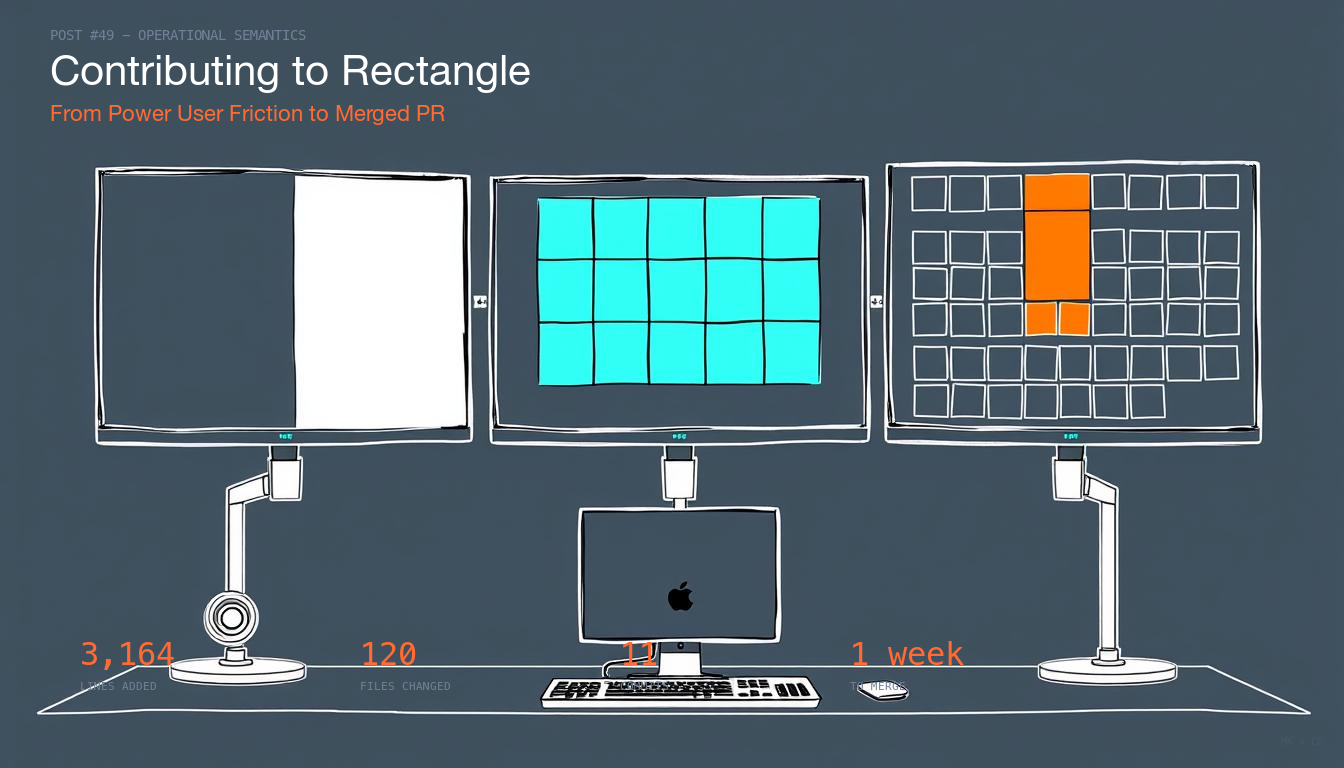
I use three 50-inch 4K TVs as my monitors.
Not ultrawide gaming panels. Actual TVs, wall-mounted in a row, driven by a Mac Studio through DisplayLink adapters. It’s a ridiculous setup and I love it. Each screen has more real estate than most people’s entire desk, and I tile windows across all three constantly - code on the left, browser in the middle, terminals and chat on the right, with sub-regions within each screen for specific apps.
The tool that makes this work is Rectangle, a free, open-source macOS window manager with over 30,000 stars on GitHub. I’ve used it every single day for over a year. It’s one of maybe five apps I’d call genuinely essential to my workflow.
But Rectangle had a ceiling. Its finest grid was eighths - a 4x2 layout. On a 50-inch 4K display, an eighth of the screen is still massive. I needed finer grids. A 4x4 grid on a 50-inch screen gives each tile roughly the usable area of a 720p laptop screen, which is exactly the right density for tiling a dozen windows simultaneously.
So I built what I needed and submitted it upstream. On March 20, 2026, PR #1720 was merged: 3,164 new lines across 120 files, adding ninths (3x3), twelfths (3x4), and sixteenths (4x4) grid positions with full cycling support. First commit to merge: about a week.
This is the story of that contribution - what I built, what I got wrong, and what the maintainer taught me along the way.
What Rectangle Already Had
Rectangle’s architecture is clean and consistent. Every window position - Left Half, Top Right Quarter, First Third - is a WindowAction enum case backed by a calculation class that figures out the pixel coordinates for any screen geometry. There’s a protocol system called *Repeated that handles cycling: press the Left Half shortcut once and you get a half. Press it again and it cycles to two-thirds. Again, one-third. The same pattern exists for sixths and eighths.
There were also hidden ninth (3x3) positions in the codebase, accessible only through Terminal commands (defaults write). They worked, but nobody could discover them through the UI.
What didn’t exist: twelfths, sixteenths, or any way to cycle through corner positions.
The First Attempt: 28 Rows
My initial submission added all 28 new positions (12 twelfths + 16 sixteenths) with individual shortcut recorders in the Shortcuts tab. Each position got its own row where you could assign a keyboard shortcut, just like every other action in Rectangle.
Twenty-eight new rows.
Ryan Hanson, Rectangle’s creator and sole maintainer, responded within a day. He was polite but clear: the Shortcuts tab is intentionally simple, and 28 new rows wasn’t going to fly. He pointed me to the ellipsis popover pattern on the General tab - the designated “overflow” area for new sizes and positions.
He wasn’t saying no to the feature. He was saying no to the packaging. The positions were welcome. A wall of shortcut recorders was not.
This is the moment that separates a contribution that gets merged from one that dies in review. The feature was right. The UI was wrong. And the maintainer told me exactly where he wanted it instead of just closing the PR.
The Cycling Breakthrough: 28 Rows Become 3
The fix was already in the codebase. Rectangle’s *Repeated protocols let you cycle through related positions with a single shortcut - press once for the first position, press again for the next, keep pressing to cycle through all of them.
I extended this pattern:
TwelfthsRepeated.swift- one shortcut cycles through all 12 twelfth positionsSixteenthsRepeated.swift- one shortcut cycles through all 16 sixteenth positions- Plus surfaced the existing ninths with their own cycling shortcut
Three compact rows in the popover instead of twenty-eight. Same functionality, one-tenth the UI footprint. I also added QuartersRepeated.swift so you could cycle through all four corner positions - a behavior that never existed before.
Ryan’s response to this approach was immediate approval. The architecture supported it. The UI was minimal. The feature was discoverable but not intrusive.
Six Rounds of Feedback
What followed was six rounds of refinement. Each round made the PR smaller and cleaner.
Round 1: Kill the toggle. Ryan said to remove the “Use cycling shortcuts” checkbox and just make cycling the only mode for these grid sizes. Individual shortcut recorders for 28 positions wasn’t going to add enough value to justify the complexity. He was right. That round removed 454 lines.
Round 2: Unify the menu. Instead of a separate “Show Eighths in Menu” checkbox, Ryan wanted a single “Show additional sizes in menu” toggle that controlled all the extended grid sizes at once. When enabled, it shows Eighths, Ninths, Twelfths, and Sixteenths as submenus and converts Thirds and Size into submenus too. When disabled, the original menu is completely preserved. I also got the menu to rebuild live on toggle - no app restart needed.
Round 3: Don’t break quarters. I’d added quarter position cycling (cycle through Top Left, Top Right, Bottom Left, Bottom Right), but Ryan caught that this would change existing behavior for long-time users. A lot of people rely on the current quarter cycling (which cycles through width fractions, not positions). The fix: a new subsequentExecutionMode value that users opt into explicitly. Existing modes completely untouched.
Round 4: Polish the popover. Ninths needed an icon. Eighths should move into the Grid Positions section. The checkbox goes at the top of the section. Small things, but they matter for consistency.
Round 5: Final ordering. Ryan was ready to merge but had two small asks: reorder the Thirds submenu to appear after Move to Edge in the menu, and rename the cycling mode label. Two surgical changes.
Round 6: Attribution. Ryan had earlier asked me to remove a CLAUDE.md file from the repo, noting that Rectangle should remain agnostic and not carry anything that could be misconstrued as an endorsement. Fair enough - it’s his project, and he’s right that a window manager shouldn’t appear to endorse any particular development tool. I respected that fully and made sure the final PR was clean of any tooling references.
What Actually Shipped
The merged PR added:
28 new window positions - 12 twelfths (3 columns x 4 rows) and 16 sixteenths (4 columns x 4 rows). Each position includes a calculation class with orientation-aware layout for portrait mode, gap-aware edge positioning, and drag-to-snap support.
3 new cycling protocols - TwelfthsRepeated, SixteenthsRepeated, and QuartersRepeated, following the exact pattern established by SixthsRepeated and EighthsRepeated.
37 template images - pixel-accurate 30x20px PNGs matching Rectangle’s existing icon style. Each shows the grid position as a highlighted region within the grid outline.
A unified settings experience - one checkbox controls all extended grid sizes in both the menu and the popover. Automatic migration of the old showEighthsInMenu preference. Live menu rebuild without restart. Explicit submenu ordering via a menuOrder computed property.
Full backward compatibility - the new subsequentExecutionMode value (raw value 5) sits alongside the existing modes without touching them. The default menu is identical to before. Old preferences migrate automatically.
The final stats: +3,164 lines, -81 lines, 120 files, 11 commits.
What I Learned
Use the existing architecture. The *Repeated protocols, the ellipsis popover, the category/submenu system - everything I needed was already built. The best contributions plug into existing infrastructure rather than inventing new patterns.
Respond to feedback by removing code. The PR got cleaner with every round. Net -454 lines in one commit. If a maintainer’s feedback makes your PR bigger, something’s wrong.
A unique use case is your edge. Three 50-inch 4K TVs is a setup most developers will never have. That unusual hardware created friction that nobody else would encounter, which drove features nobody else would think to contribute. If you have a weird workflow, that’s not a disadvantage - it’s an opportunity.
Maintainer communication is the whole game. Ryan was responsive, specific, and constructive at every step. He didn’t just say “this doesn’t work” - he said where it should go and why. I listened, adapted, and didn’t argue about design decisions on his project. The PR got better because of the conversation, not in spite of it.
What’s Next
Rectangle isn’t just a tool I use anymore. It’s a tool I helped build. The next time I press a keyboard shortcut and a window snaps to a sixteenth of my 50-inch screen, that’s my code running.
I’m looking at MonitorControl next - another macOS open source tool I use daily across these displays. Same pattern: power user with unusual hardware, real friction to solve, existing codebase to learn. The playbook works. Find the friction, study the architecture, respect the maintainer, ship clean code.
Here’s the thing: I didn’t even know Rectangle had 30,000 stars when I submitted the PR. I’d been using it daily for over a year without thinking about the project’s scale. I just needed a feature, built it, and pushed it upstream. I discovered it was a 30,000-star project after I’d already shown up with 3,164 lines of code. In retrospect, I’m sure that came across as either fearless or completely unhinged. Sometimes not knowing the size of the stage is exactly what lets you walk onto it.